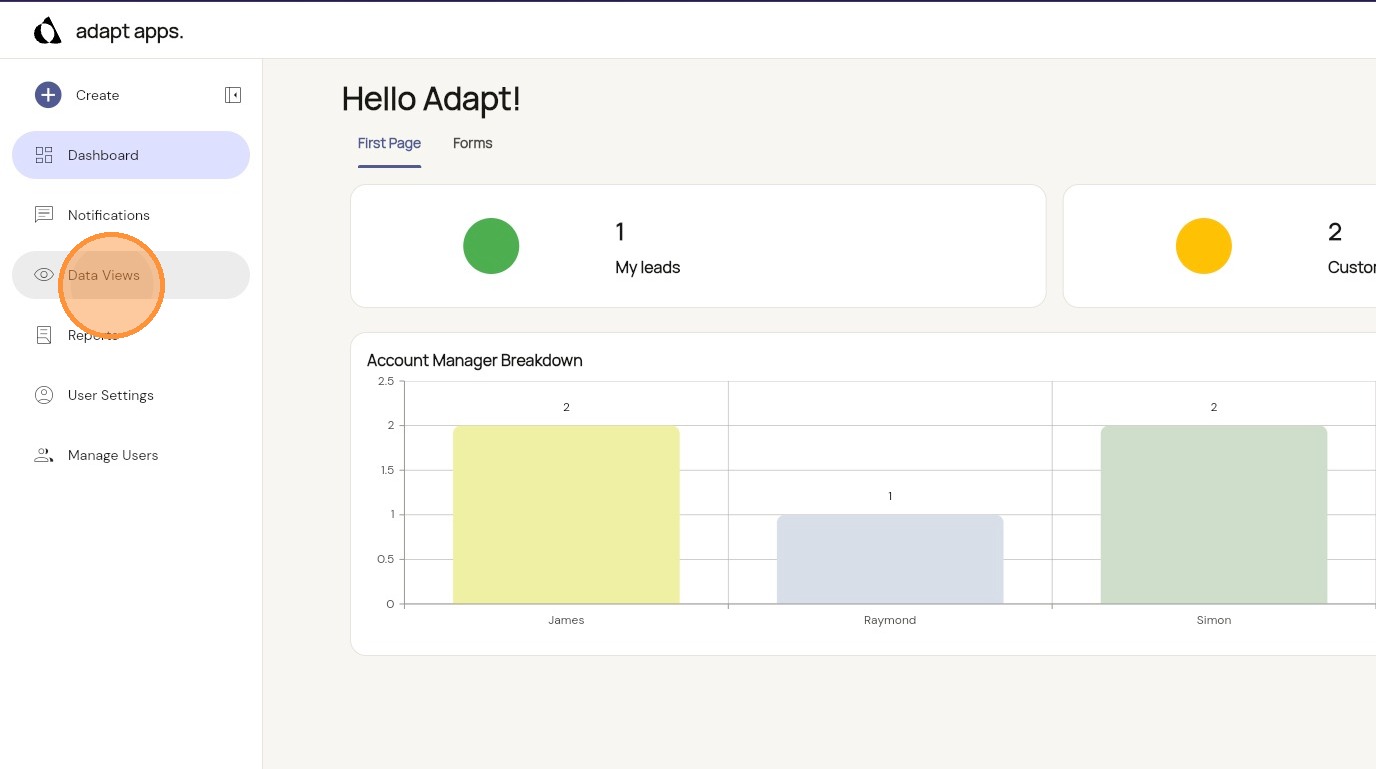
1. Select ‘Data Views’ in the sidebar
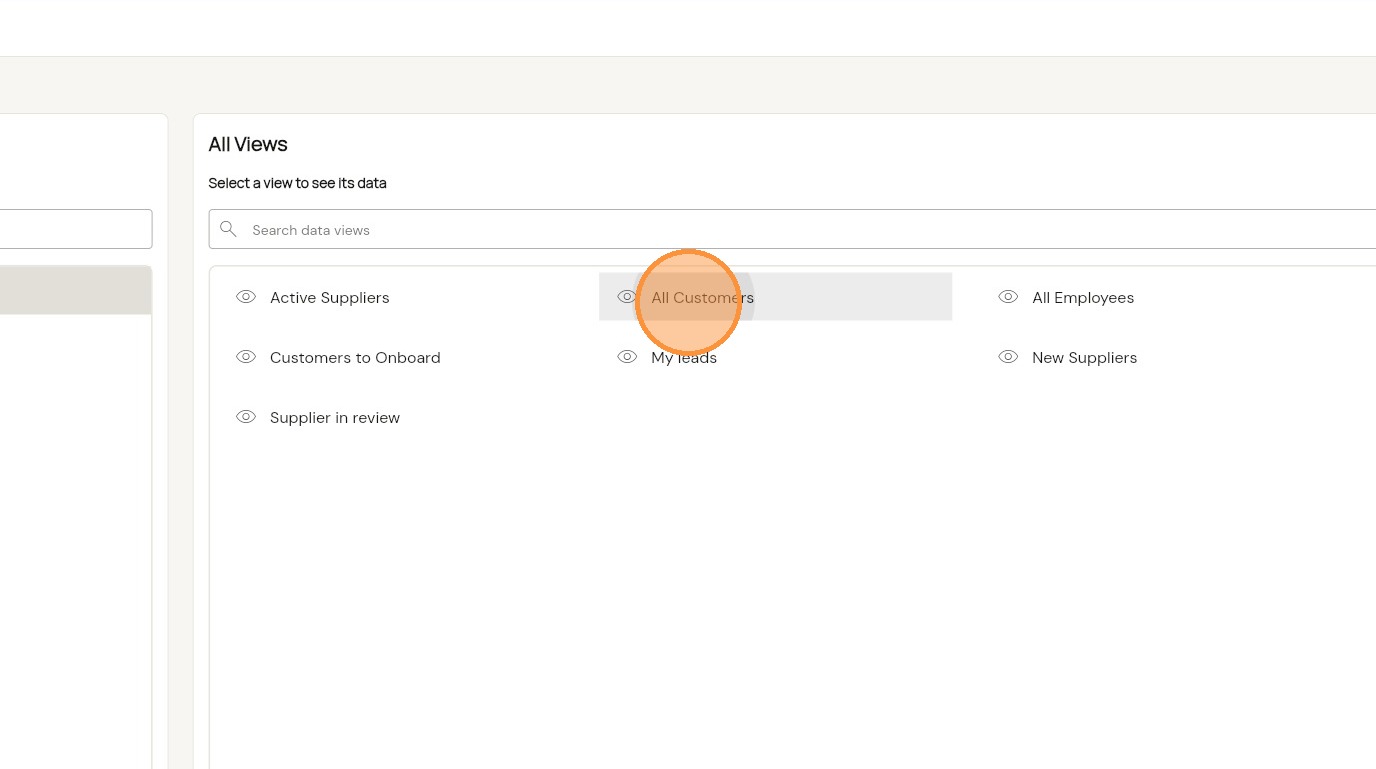
2. Choose the view you like to see the data for
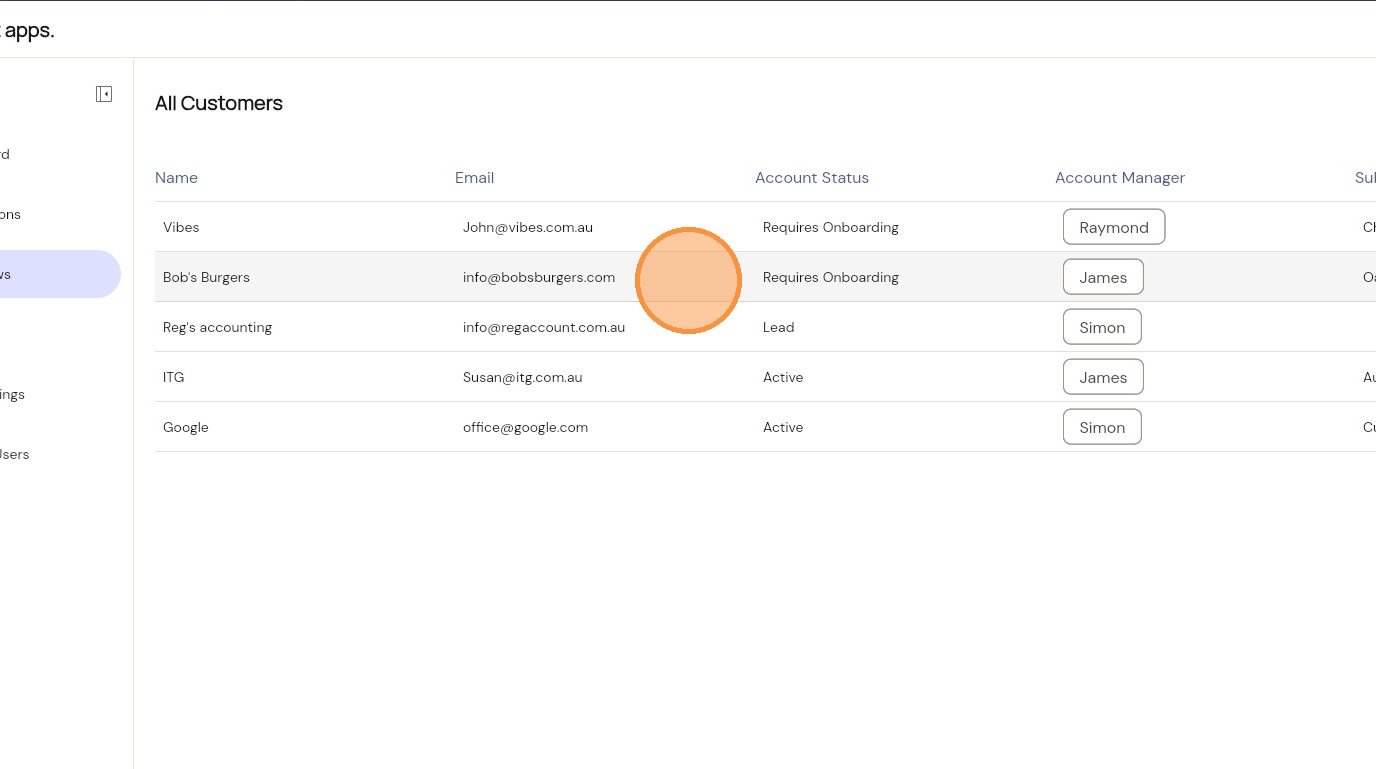
3. Select the item you would like to see
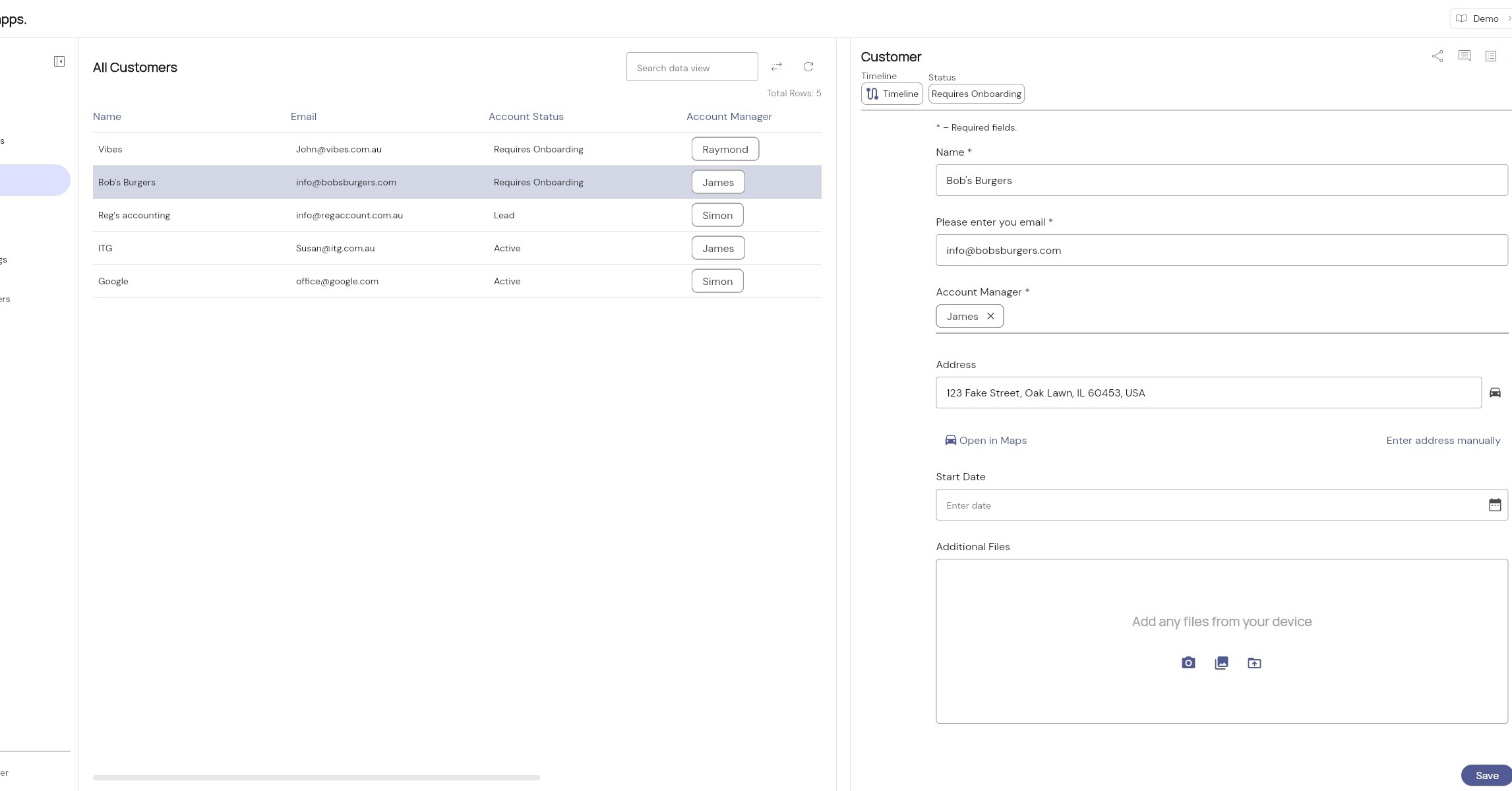
4. You can now preview, edit or update the selected item